
asbestos inspection software
Asbestos Inspection Software You Build Around Your Process
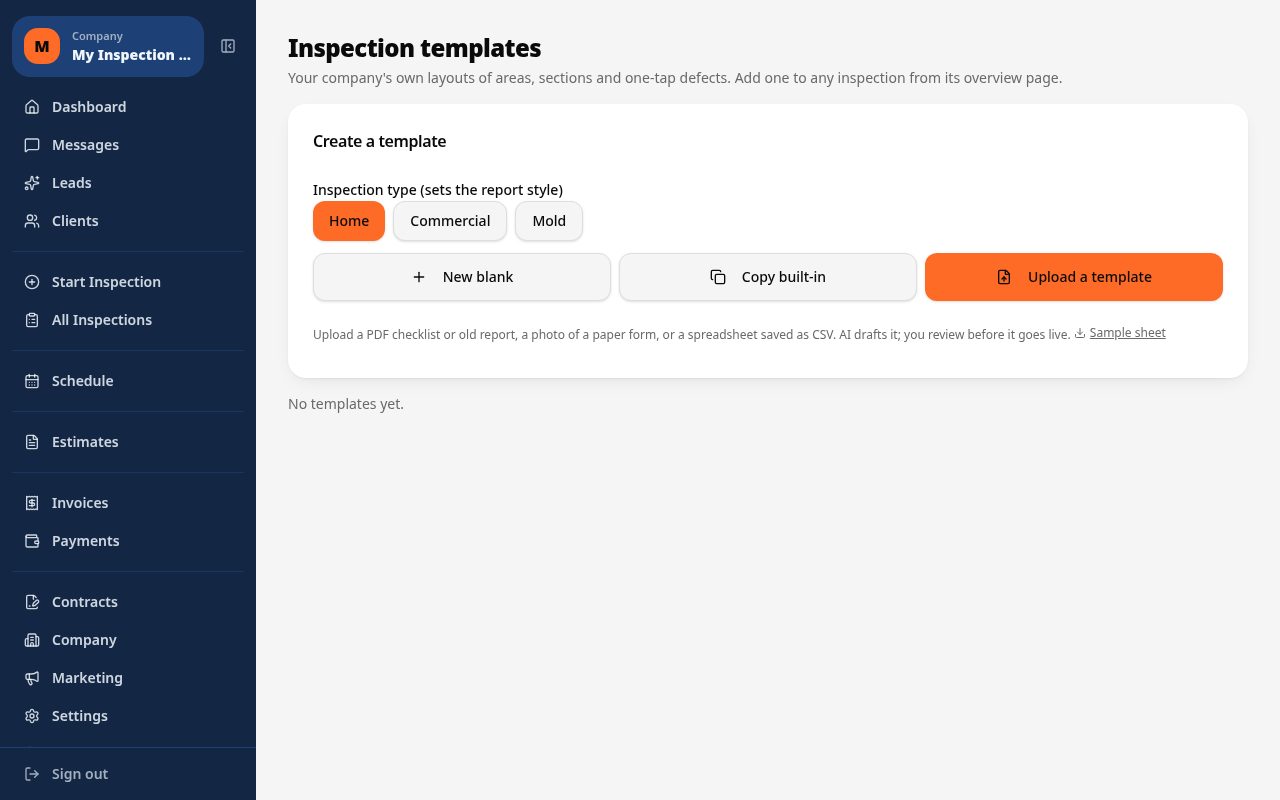
There is no single fixed asbestos template because protocols vary by jurisdiction and firm. Inspect Ace lets you build a custom template or upload your own PDF or CSV, then has AI draft the areas and defects so you are not starting from a blank form every time.
What you get with asbestos inspection software
Custom templates you build or upload
Create a custom asbestos inspection template inside Inspect Ace, or upload your firm's existing PDF or CSV protocol and have it turned into a working template, instead of being locked into one fixed form.
AI drafts areas and defects for you
Once your template is set up, AI drafts the areas and defects for you to review, so building out a full suspect-material checklist does not mean typing every line by hand.
Sample-location photos with AI analysis
Photograph each sample location and let the assistant analyze the photo and suggest a description for that area, which you confirm before it is added to the finding.
Lab PDFs attached with AI summaries
Attach the asbestos lab's PDF results to the relevant sample location. Inspect Ace generates an AI summary of the lab PDF that appears in the report next to the attachment.
Client portal access
Clients get a private portal to view the finished report, lab attachments, estimates and invoices at any hour, instead of chasing you for a copy.
Booking through invoice in one account
Run the same job from the initial booking through the report, the lab attachments, an estimate, e-signature and the final invoice, all inside one account.
How the workflow runs
- 1
Build your template
Build a custom asbestos template in Inspect Ace or upload your existing PDF or CSV protocol so your areas and suspect materials are ready to use.
- 2
Let AI draft the checklist
Have AI draft the areas and defects for the job, then review and adjust them to match the property before you start sampling.
- 3
Photograph sample locations
Capture a photo at each sample location and accept, edit or discard the AI's suggested description for that spot.
- 4
Attach lab results and deliver
Attach the lab's PDF once results are in, let AI summarize it, then send the branded report through the client portal and turn the job into an invoice.
Why teams switch
- Build the exact template your firm or jurisdiction requires instead of a generic form
- Turn an existing PDF or CSV protocol into a working template without rebuilding it
- Let AI draft areas and defects so you edit instead of starting from nothing
- Get an AI-written summary of every lab PDF right where the finding is
- Give clients 24/7 portal access to their report and lab attachments
- Run the whole job, from booking to invoice, in one account
Why there's no single fixed asbestos template
Asbestos inspection protocols differ by jurisdiction, by client type and often by firm, so a one-size-fits-all built-in template doesn't fit how most asbestos inspectors actually work. Inspect Ace takes a different approach: you build a custom template inside the app, or upload your firm's existing protocol as a PDF or CSV, and that becomes the form your team uses going forward.
Once the template exists, you're not stuck typing out every suspect material and area by hand. AI drafts the areas and defects for you based on the template you've set up, so the job becomes reviewing and adjusting a draft checklist rather than building one from nothing every time you open a new job.
- Build a custom template or upload your existing PDF or CSV protocol
- AI drafts areas and defects for you to review
- Works for any jurisdiction's protocol since you control the template
Sample-location photos and lab PDFs that make sense to a client
At each sample location, take a photo and let the assistant analyze it and suggest a description, which you confirm or edit before it's attached to the finding. That keeps the documentation tied directly to where each sample was pulled, with a photo and description a non-technical client can follow.
Once lab results come back, attach the lab's PDF to the relevant sample location. Inspect Ace generates an AI summary of that lab PDF, so the finding shows both the original document and a plain-language read of what it says, right next to each other in the report.
Running the whole job, and giving clients access
Asbestos jobs usually involve more than the inspection itself: booking the visit, delivering the report, sending an estimate for remediation work, and invoicing. Inspect Ace keeps all of that in one account, from the initial booking through the signed estimate and the final invoice, so you're not re-entering the same client and property details into a separate billing tool.
Clients also get a private portal where they can view the report, the lab attachments and any estimates or invoices at any hour, rather than emailing you to ask for another copy of a PDF.
What Inspect Ace doesn't claim to do
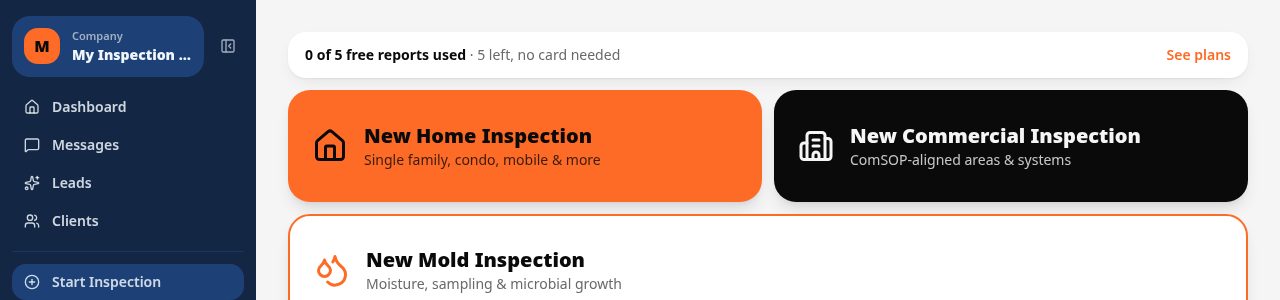
To be clear about scope: Inspect Ace doesn't provide chain-of-custody forms, lab submission integrations, or regulatory compliance certification. It helps you build the template, draft the checklist, document sample locations with photos, and attach and summarize whatever lab results you bring back from your own lab. Core starts at $39 a month for one inspector, Pro is $99 a month for up to three, and there are 5 free reports to try it with no card needed.
See it on screen
What it costs vs other tools
| Software | Starting price | Free start |
|---|---|---|
| Inspect Ace | $39/mo Core, $99/mo Pro (3 inspectors) | 5 free reports, no card |
| Inspector Toolbelt | $79/mo | See vendor site |
| Spectora | From $109/mo | See vendor site |
Competitor prices from their public pricing pages, checked October 2026.
asbestos inspection software questions
- Does Inspect Ace have a built-in asbestos template?
- There is no single fixed asbestos template out of the box. Instead, you build a custom template in Inspect Ace or upload your firm's existing PDF or CSV protocol, and AI drafts the areas and defects for you to review.
- Can I attach asbestos lab results to the report?
- Yes. Attach the lab's PDF to the relevant sample location and Inspect Ace generates an AI summary of the lab results that shows up alongside the attachment in the report.
- Does Inspect Ace handle chain of custody or lab submission?
- No. Inspect Ace attaches your lab's PDF results and summarizes them with AI, but it does not provide chain-of-custody forms or a lab integration; sample submission stays with your chosen lab.
- Can clients see their asbestos report online?
- Yes. Every client gets a portal where they can view the report, lab attachments, estimates and invoices, and send you a question directly.
- Can I go from booking to invoice on the same job?
- Yes. The same account covers booking the appointment, running the inspection, attaching lab results, sending an estimate for e-signature and invoicing the client.
- How do I set up an asbestos template if there isn't a default one?
- Build a custom template inside Inspect Ace, or upload your firm's existing PDF or CSV protocol, and AI drafts the areas and defects for you to review.
- Can the AI describe what's in a sample-location photo?
- Yes. The assistant analyzes each sample-location photo and suggests a description, which you confirm or edit before it's added to the finding.
- Does Inspect Ace handle chain-of-custody paperwork for samples?
- No. Inspect Ace attaches and AI-summarizes your lab's PDF results, but it does not generate chain-of-custody forms or integrate directly with a lab.
Related solutions
Run your next inspection on it
Your first 5 reports are free. No card, no app store, works on the phone in your pocket.