
building inspection software
Building Inspection Software for Every Property Type
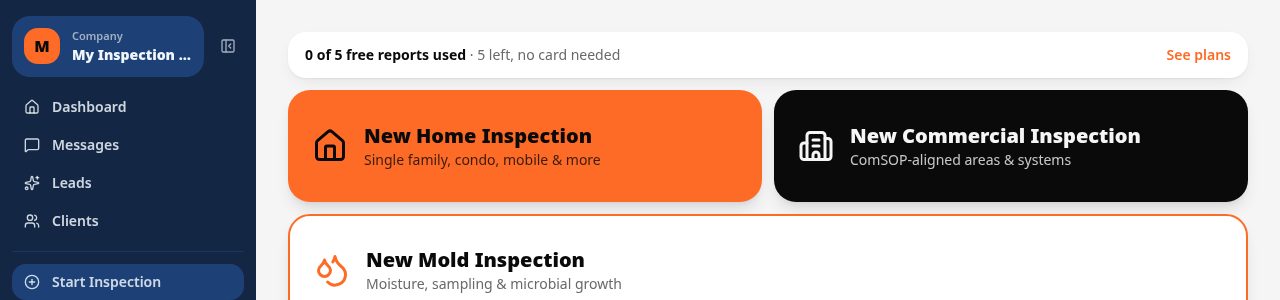
Whether you are assessing a single-family home, a strip mall or a mixed-use property, Inspect Ace gives you one mobile app that adapts the template to the building. Areas, sub-areas, materials and defect language are already built in so you spend your time inspecting, not formatting a report.
What you get with building inspection software
Flexible building templates
Switch between residential, commercial and mixed-use structures within the same app, each with its own set of areas, sub-areas and defect libraries.
One-tap defect buttons
Tap a pre-built defect for foundation cracking, roof damage, moisture intrusion or electrical hazards and the observation, severity and recommendation fill in automatically.
Material selection per section
Log stucco, brick veneer, vinyl siding, shingles, TPO, concrete slab or crawlspace foundation for each section so the report describes the actual building, not a generic template.
AI photo analysis
Photograph a defect and get an AI-suggested observation and recommendation to confirm, speeding up documentation on buildings with dozens of findings.
Offline-friendly data capture
Older buildings with thick walls and basements often kill cell signal. Inspect Ace autosaves locally and syncs when you are back online.
Branded PDF and web reports
Send a professional PDF with your company branding, or a web link clients and property managers can open instantly on their phone.
How the workflow runs
- 1
Select the building type
Choose a residential, commercial or mixed-use template so the areas and defect library match the structure you are walking.
- 2
Document each area
Move through exterior, structure, roof, interior and mechanical systems, tapping defects and recording materials as you go.
- 3
Attach photo and video evidence
Capture photos and short videos at each finding, automatically tagged to the correct section for the final report.
- 4
Generate and send the report
Produce a branded PDF or web report and deliver it to the owner, buyer or property manager before you leave the site.
Why teams switch
- One app that adapts to residential, commercial and mixed-use buildings
- Consistent defect language across every inspector on your team
- Material-specific documentation instead of generic checklists
- Faster report delivery with on-site PDF and web report generation
- A defect library you can tailor to your local building stock
How Inspect Ace speeds up a building inspection
The same app adapts to residential, commercial and mixed-use structures instead of forcing one generic checklist onto every building type.
- Pick a residential, commercial or custom template to match the structure you're walking
- Tap one-tap defect buttons for foundation cracking, roof damage or moisture intrusion to fill in observation and severity instantly
- Record material per section so the report reflects the actual stucco, brick veneer, TPO or slab present, not a generic entry
- Photograph a defect and let AI suggest the likely finding, confirming or editing before it's added
- Autosave keeps working through thick-walled older buildings and basements with weak signal
- Send a branded PDF or web report on-site to the owner, buyer or property manager
Why it costs less than other building inspection tools
Inspect Ace is $39/mo for a Core plan with unlimited inspections, or $99/mo for a Pro plan covering 3 inspectors, with no per-report fees either way. Try 5 free reports with no credit card first.
Spectora starts at $109/mo and Inspector Toolbelt starts at $79/mo (verified Oct 16, 2026), both higher than Inspect Ace's Core tier for inspectors running unlimited reports.
Documenting unusual or older construction
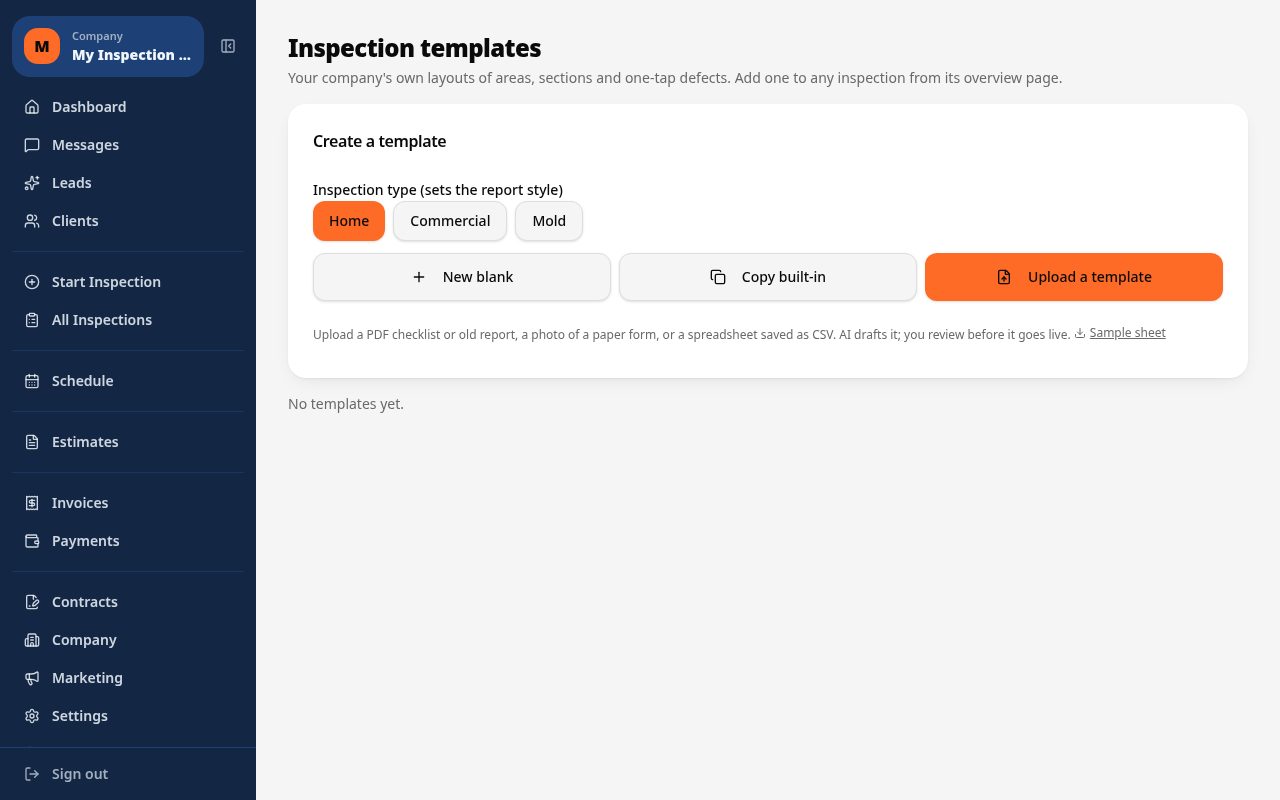
Standard templates don't always fit an older building's construction. Inspect Ace lets you add custom observations and materials alongside the built-in defect library, or build your own custom template, including uploading a PDF or CSV of your existing checklist for AI to draft into a usable template.
Common building inspection findings Inspect Ace handles in one tap
Foundation cracking, roof damage, moisture intrusion and material-specific issues like deteriorated stucco or failing TPO seams come up across residential, commercial and mixed-use structures alike. Inspect Ace's one-tap defect buttons auto-fill observation and severity for these recurring findings, so the write-up matches the actual building in front of you rather than a generic entry.
Because material is recorded per section, a report on a brick veneer building reads differently from one on a stucco or slab structure, even when the underlying defect — a crack, a stain, a damaged surface — is the same. AI photo suggestions carry across building types too, so whether the structure is a single-family home or a mixed-use storefront, a photographed defect still gets a likely finding to confirm, keeping the write-up consistent no matter which template was chosen for that walkthrough.
See it on screen
What it costs vs other tools
| Software | Starting price | Free start |
|---|---|---|
| Inspect Ace | $39/mo Core, $99/mo Pro (3 inspectors) | 5 free reports, no card |
| Inspector Toolbelt | $79/mo | See vendor site |
| Spectora | From $109/mo | See vendor site |
Competitor prices from their public pricing pages, checked October 2026.
building inspection software questions
- Can Inspect Ace handle different building types in one app?
- Yes, you can choose a residential, commercial or mixed-use template for each project, so the areas and defect library match the building you are actually inspecting.
- How does material tracking work?
- For each section you select the material present, such as stucco, brick veneer, shingles, TPO membrane or concrete slab, and that material is reflected in the report language automatically.
- Is it useful for older buildings with unusual construction?
- Yes, you can add custom observations and materials alongside the built-in library to capture construction types that do not fit a standard template.
- What happens if I lose signal mid-inspection?
- Your entries, photos and notes keep saving locally on your phone and sync automatically once you regain a connection.
- Can I brand the reports with my own logo?
- Yes, both the PDF report and the web report link carry your company branding, colors and logo.
- Does it support team inspections on larger buildings?
- Yes, you can assign sections of a larger building to different inspectors and combine the results into one final report.
- Can one app handle both residential and commercial building inspections?
- Yes, Inspect Ace lets you choose a residential, commercial or custom template per project, each with its own areas, sub-areas and defect library, so the same app adapts to the building type instead of forcing one checklist on everything.
- What is affordable software for general building inspections?
- Inspect Ace starts at $39/mo for unlimited inspections on the Core plan, with no per-report fees, and a $99/mo Pro plan for 3 inspectors. You can test 5 free reports before paying anything.
- Can I build a custom template for unusual building types?
- Yes, Inspect Ace lets you build your own custom template from scratch or upload a PDF or CSV of an existing checklist, and AI drafts it into a usable template you can adjust before using it in the field.
Related solutions
Run your next inspection on it
Your first 5 reports are free. No card, no app store, works on the phone in your pocket.