
quality control inspection software
Quality Control Inspection Software for Every Stage of Production
Quality control means catching problems at incoming inspection, in-process checks and final release, not just at the end of the line. Inspect Ace gives QC teams a mobile checklist for each stage, with one-tap defect codes, photo evidence and a clear pass or fail record for every lot.
What you get with quality control inspection software
Stage-specific QC templates
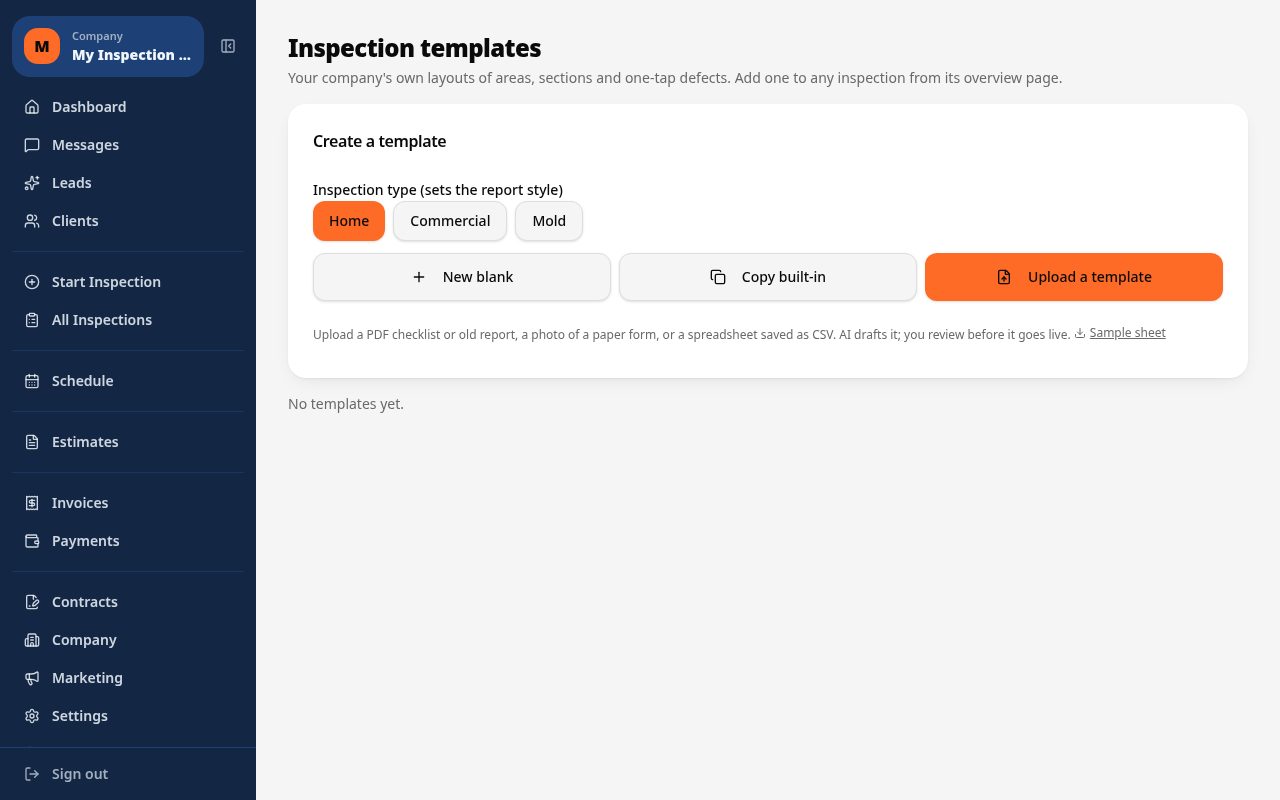
Run separate templates for incoming material inspection, in-process checks and final release, each with the sampling points relevant to that stage.
One-tap pass, fail and defect codes
Mark measurements, visual checks and functional tests as pass or fail with a tap, and auto-fill the observation and severity when a defect is found.
Photo evidence tied to each check point
Photograph a failed dimension, a surface defect or a mislabeled unit right at the check point so the record shows exactly what was rejected and why.
AI photo analysis for surface and visual defects
Photograph a scratch, void or misalignment and get an AI-suggested defect type to confirm, keeping high-volume QC checks moving.
Material and lot tracking
Log the material lot, supplier and spec revision for each inspected item so a failed check can be traced back to its source immediately.
Branded PDF and shareable QC reports
Generate a certificate of inspection or QC summary as a branded PDF, or a web link to share with suppliers, customers or auditors.
How the workflow runs
- 1
Select the QC stage
Choose incoming, in-process or final inspection so the checklist matches the sampling plan and check points for that stage.
- 2
Run the checks
Move through dimensional, visual and functional checks, marking pass or fail and tapping defect codes with photos where something fails.
- 3
Disposition the lot
Use the recorded pass and fail results to accept, reject or flag the lot for rework, with traceability back to the material source.
- 4
Issue the QC report
Generate a branded PDF or web report documenting the inspection results for internal records, suppliers or customer audits.
Why teams switch
- Catch defects at incoming, in-process and final stages, not just at the end
- Get a clear pass or fail record tied to photo evidence for every check
- Trace failed checks back to a specific lot or supplier instantly
- Keep QC checklists consistent across every inspector and shift
- Produce audit-ready reports without manual paperwork
How Inspect Ace speeds up quality control inspections
Quality control checks at each production stage need to be fast enough not to slow the line down, while still catching nonconformances reliably.
- Use a custom quality control template built for each stage of production, built by you or drafted by AI from an uploaded PDF/CSV
- Tap one-tap defect buttons for common nonconformances to fill observation, severity, recommendation and cost impact
- Photograph a defect at any stage and let AI suggest the likely issue for confirmation
- Track materials per section so each component's spec is recorded alongside the finding
- Have multiple inspectors cover different stages of the same production run within one project
- Deliver a branded PDF or web report summarizing findings by stage for management review
Why it costs less than other quality control tools
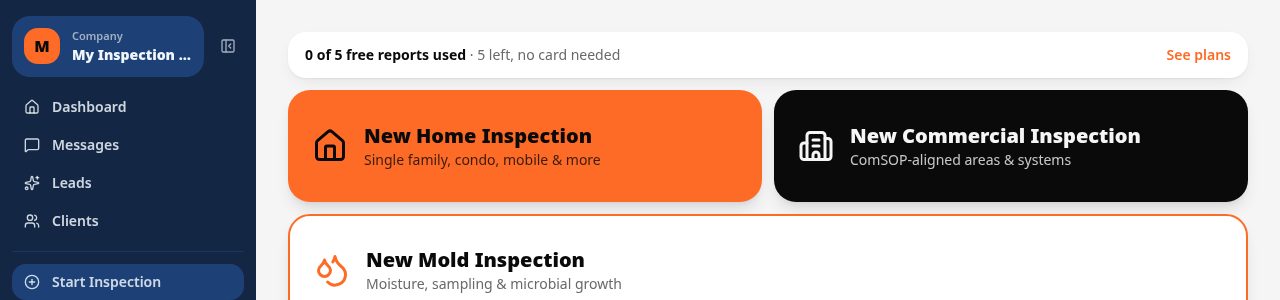
A Core plan is $39/mo with unlimited inspections and no per-report fees, and a Pro plan is $99/mo for 3 inspectors covering multiple stages or shifts. 5 free reports are available with no credit card.
Spectora starts at $109/mo and Inspector Toolbelt starts at $79/mo (verified Oct 16, 2026) — both are higher than Inspect Ace's Core tier for unlimited inspection volume.
Stage-by-stage documentation that holds up
When a nonconformance shows up downstream, being able to trace it back to the stage where it was introduced matters. Inspect Ace's per-stage templates and material tracking per section keep findings organized by production stage, with photos and an AI executive summary that management can review without digging through raw data.
A day running quality control inspections on Inspect Ace
An inspector covering the first production stage taps one-tap defect buttons for nonconformances as components move through, recording the material spec for each section so a finding is tied to the exact component involved. A second inspector picks up at a later stage within the same project, and both sets of findings land in one report organized by production stage rather than scattered across separate files.
Photographing a defect at any stage lets AI suggest the likely issue for confirmation, which keeps the line moving without inspectors stopping to write a full description from scratch. When a nonconformance appears downstream, the stage-by-stage structure and recorded material specs make it straightforward to trace the issue back to where it was introduced, and the AI executive summary at the end gives management a same-day overview of the run without reading every stage's raw findings.
See it on screen
What it costs vs other tools
| Software | Starting price | Free start |
|---|---|---|
| Inspect Ace | $39/mo Core, $99/mo Pro (3 inspectors) | 5 free reports, no card |
| Inspector Toolbelt | $79/mo | See vendor site |
| Spectora | From $109/mo | See vendor site |
Competitor prices from their public pricing pages, checked October 2026.
quality control inspection software questions
- Can I set up separate checklists for incoming, in-process and final inspection?
- Yes, each stage can have its own template with sampling points, defect codes and pass or fail criteria specific to that stage of production.
- Does it support pass or fail scoring per check point?
- Yes, each check point can be marked pass or fail with a tap, and a failed result automatically prompts you to log the defect and severity.
- Can I trace a failed inspection back to a specific supplier or lot?
- Yes, you can record the material lot, supplier and spec revision for each inspected item, so failures can be traced back to their source.
- Is this suitable for audit documentation?
- Yes, the branded PDF and web reports document check points, results and photo evidence in a format suited to internal or customer audits.
- Does AI photo analysis help with visual QC checks?
- Yes, photographing a surface defect or misalignment prompts an AI-suggested classification, which you confirm before it is logged against the check point.
- Can multiple inspectors work QC across different shifts?
- Yes, templates and defect codes stay consistent across inspectors and shifts, so results are comparable no matter who ran the check.
- What is good software for tracking quality control by production stage?
- Inspect Ace lets you build a custom template per production stage, record materials per section, and tag findings with severity, so nonconformances can be traced back to the stage where they occurred.
- Is there a team plan for quality control inspectors?
- Yes, Inspect Ace's Pro plan is $99/mo for 3 inspectors with unlimited inspections and no per-report fees, useful for covering multiple production stages or shifts within one account.
- Can quality control reports include an executive summary for management?
- Yes, Inspect Ace generates an AI executive summary alongside the detailed findings, so management can review a short overview of a production run's nonconformances without reading every stage in full.
Related solutions
Run your next inspection on it
Your first 5 reports are free. No card, no app store, works on the phone in your pocket.