
field inspection app
The Field Inspection App That Works Anywhere
Field inspectors do not work from a desk, they work from a ladder, a job site or a parking lot with spotty signal. Inspect Ace is built as a mobile-first field inspection app, so templates, one-tap defect entry, photo capture and report generation all happen from your phone, online or off.
What you get with field inspection app
Mobile-first design for the field
Every part of the inspection, from template selection to photo capture to report generation, is built around a phone screen and a one-handed workflow.
One-tap defect buttons
Common findings are one tap away, auto-filling the observation, severity, recommendation and cost range so you are not typing full sentences in the field.
Offline-friendly autosave
Basements, rural sites and industrial plants often have no signal. Entries, photos and notes keep saving locally and sync automatically once you are back online.
AI photo analysis on the spot
Take a photo of a defect and get an AI-suggested observation and recommendation right there in the field, ready to confirm before you move to the next area.
Photo and video capture built in
Capture photos and video directly within the inspection flow, automatically tagged to the right section without a separate camera app or file transfer.
Branded PDF and web reports from your phone
Generate and send a client-ready report before you even leave the site, whether that is a branded PDF or a shareable web link.
How the workflow runs
- 1
Open the template on your phone
Select the inspection template built for the job, whether that is a home, a commercial building, a vehicle or a piece of equipment.
- 2
Move through the field with one hand free
Tap defect buttons, snap photos and add notes as you walk, without needing to stop and type at a laptop.
- 3
Let it autosave as you go
Whether you have full signal or none, your work keeps saving locally and syncs automatically once you are connected.
- 4
Send the report on-site
Generate the branded PDF or web report before you leave, so the client has it in hand the same day.
Why teams switch
- Do the entire inspection from your phone, start to finish
- Keep working even with no signal at the job site
- Cut down on typing with one-tap defect entry and AI photo suggestions
- Skip the file-transfer step with built-in photo and video capture
- Send a finished report before you even leave the property
How Inspect Ace speeds up any field inspection
Field inspections happen wherever the job is, so the app has to work the same way on whatever device is in your hand.
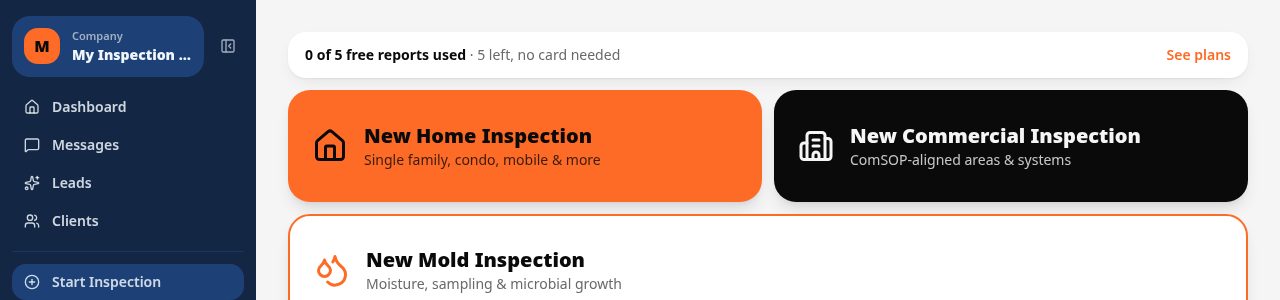
- Works in the browser on iPhone, Android or desktop, with the option to add it to your home screen like a native app
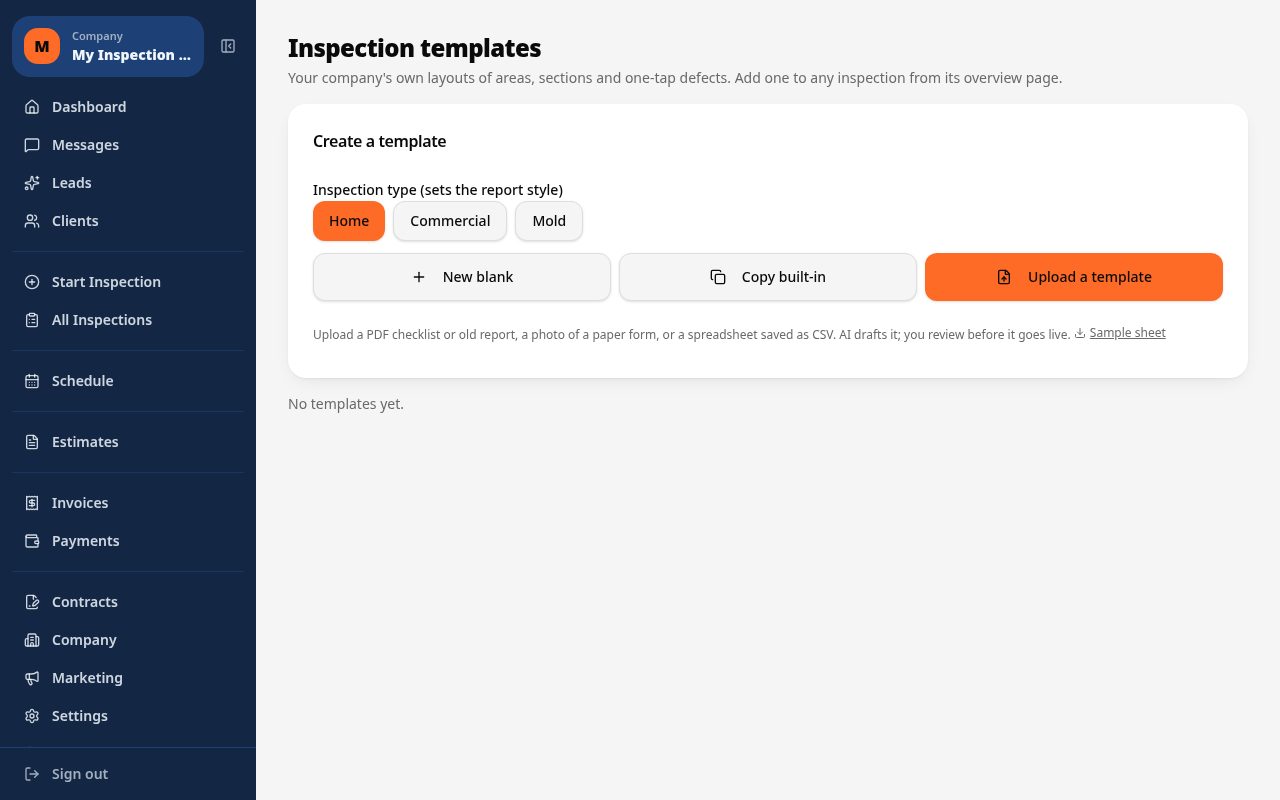
- Choose a pre-built or custom template suited to the inspection type you run
- Tap one-tap defect buttons to fill observation, severity, recommendation and cost range in the field
- Photograph findings and let AI suggest the likely defect for confirmation, with video and markup support
- Autosave keeps every entry and photo saved locally and syncs once you're back online
- Generate a branded PDF or web report on-site and send it before leaving the location
Why it costs less than other field inspection apps
Inspect Ace is $39/mo for a Core plan with unlimited inspections, or $99/mo for a Pro plan covering 3 inspectors, with no per-report fees on either plan. You can try 5 free reports with no credit card required.
Spectora starts at $109/mo and Inspector Toolbelt starts at $79/mo (verified Oct 16, 2026), both higher than Inspect Ace's Core plan for an inspector running unlimited reports every month.
One app, no separate installs or devices
Because Inspect Ace runs in the browser, there's no app store install required and it works the same across an iPhone, an Android phone or a desktop back at the office. Adding it to your home screen gives you a one-tap launch that behaves like a native app without a separate download.
A day running field inspections on Inspect Ace
Whatever the job type, the day starts the same way: open the browser on whatever device is in hand, iPhone, Android or a desktop back at the office, and pick the pre-built or custom template that matches the inspection. Moving through the site, one-tap defect buttons fill in observation, severity, recommendation and cost range, while photos and video get matched to likely findings by AI for the inspector to confirm or edit.
In a basement, a rural lot or anywhere else signal drops, autosave keeps every entry and photo stored locally until the connection comes back, so a dead zone mid-walkthrough never costs a redo. By the time the site visit wraps, the branded PDF or web report is ready to generate and send on the spot, and because the app runs in the browser with a home-screen shortcut, there's no separate install needed to pick the workflow back up on the next job.
See it on screen
What it costs vs other tools
| Software | Starting price | Free start |
|---|---|---|
| Inspect Ace | $39/mo Core, $99/mo Pro (3 inspectors) | 5 free reports, no card |
| Inspector Toolbelt | $79/mo | See vendor site |
| Spectora | From $109/mo | See vendor site |
Competitor prices from their public pricing pages, checked October 2026.
field inspection app questions
- Is Inspect Ace a native app or a website?
- It is built mobile-first so it works smoothly as an app-like experience on your phone's browser, with offline autosave so a weak connection does not interrupt your work.
- What happens to my data if I have no signal at all?
- Entries, photos and notes keep saving locally on your device, and everything syncs automatically the next time you have a connection.
- Can I use it for more than one type of inspection?
- Yes, you can switch between templates for homes, commercial buildings, vehicles, equipment or custom inspection types within the same app.
- Does AI photo analysis work without internet?
- AI photo analysis requires a connection to process the image, but you can keep capturing photos offline and run the analysis once you are back online.
- Can I generate a report before leaving the property?
- Yes, both the branded PDF and the shareable web report can be generated and sent directly from your phone while still on-site.
- Is the defect library customizable for my type of work?
- Yes, you can edit the built-in one-tap defect buttons or add your own to match the specific type of inspection you perform.
- What is a good field inspection app that works on any phone?
- Inspect Ace runs in the browser on iPhone, Android and desktop, and can be added to your home screen for one-tap access, with no separate app store install required.
- Does a field inspection app work without internet on-site?
- Yes, Inspect Ace autosaves entries and photos locally while you work in the field, then syncs automatically once you're back online, so a weak signal on-site won't cost you data.
- What is the cheapest field inspection app with unlimited reports?
- Inspect Ace's Core plan is $39/mo with unlimited inspections and no per-report fees, and you can try 5 free reports with no credit card required before subscribing.
Related solutions
Run your next inspection on it
Your first 5 reports are free. No card, no app store, works on the phone in your pocket.