lead and asbestos inspection software
Lead and Asbestos Inspection Software in One Account
Firms that run combined lead and asbestos jobs need one template, one photo workflow and one report rather than two separate systems. Inspect Ace lets you build a custom template covering both, draft findings with AI, attach lab PDFs for either material, and manage the job from booking through invoice.
What you get with lead and asbestos inspection software
One custom template for both scopes
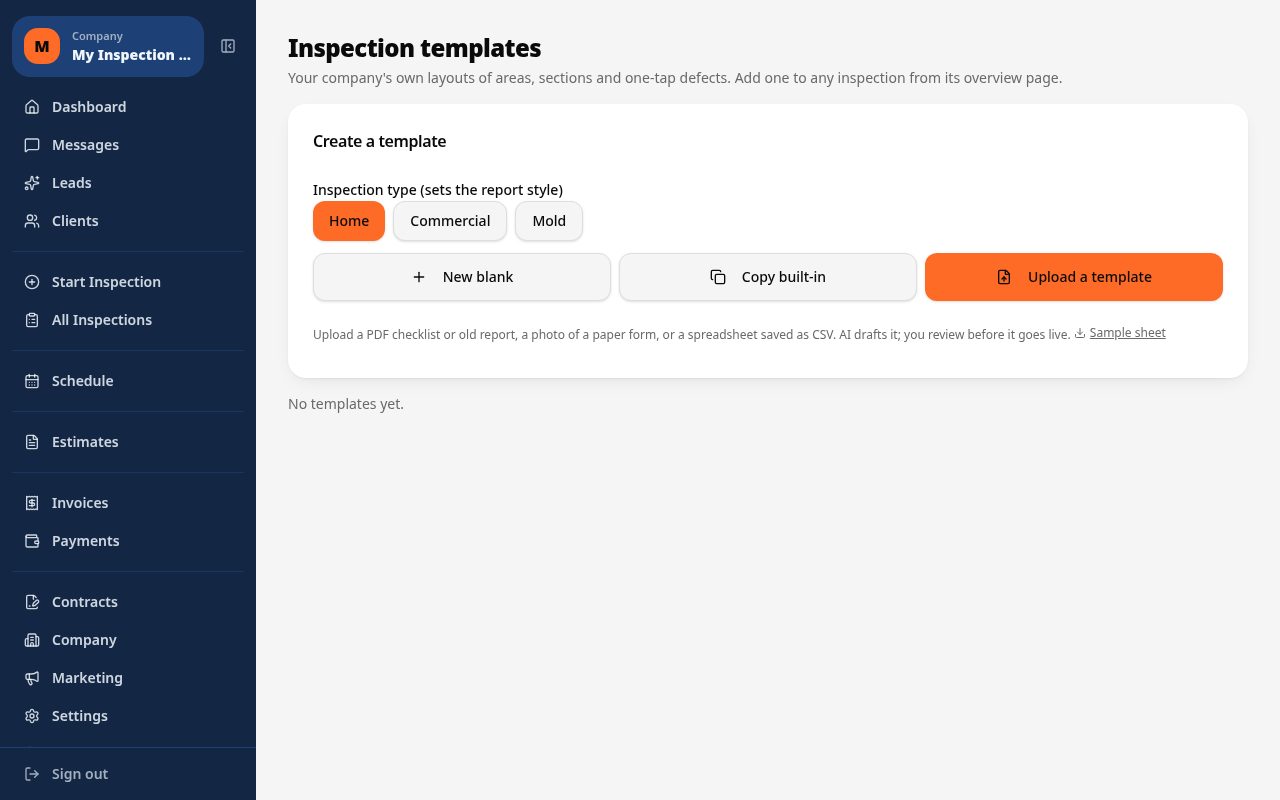
Build a custom template that covers lead and asbestos areas together, or upload your own PDF or CSV protocol, so a combined job runs through one form instead of two disconnected inspections.
AI drafts areas and defects
AI drafts the areas and defects inside your custom template so you review and adjust the checklist for lead paint components and asbestos suspect materials rather than building each line by hand.
Sample and component photos with AI analysis
Photograph each lead testing location or asbestos sample point and the assistant analyzes the photo and suggests a description for you to confirm or edit.
Lab PDFs for either material, summarized by AI
Attach lead testing lab results or asbestos lab results as PDFs to the relevant finding. Inspect Ace generates an AI summary for each attached lab PDF so both result sets read clearly in the final report.
Retry a finding with a typed hint
If an AI-drafted finding needs correcting, type a short hint describing what it actually is and retry, instead of deleting the draft and starting over.
Booking, portal and invoicing in one account
Book the job, run the combined inspection, deliver the report through a client portal, send an estimate for e-signature, and invoice, all without switching software.
How the workflow runs
- 1
Build the combined template
Set up a custom template covering lead and asbestos areas, or upload an existing PDF or CSV protocol as the starting point.
- 2
Draft the checklist with AI
Let AI draft areas and defects across both scopes, then adjust the list for the specific property before you arrive.
- 3
Photograph and sample
Capture photos at each lead testing location and asbestos sample point, reviewing the AI's suggested description for each.
- 4
Attach labs and deliver
Attach lead and asbestos lab PDFs as results come in, let AI summarize each, then deliver the branded report through the client portal and invoice the job.
Why teams switch
- Run lead and asbestos findings through one custom template instead of two tools
- Turn an existing PDF or CSV protocol into a working combined template
- Let AI draft the checklist so you edit instead of building it from scratch
- Get an AI summary attached to every lead and asbestos lab PDF
- Correct an AI-drafted finding with a quick retry and a typed hint
- Handle booking, the report, the client portal and invoicing in one account
One template for lead and asbestos jobs
Firms running combined lead and asbestos inspections don't want two separate tools for one job. Inspect Ace lets you build a single custom template that covers both scopes, or upload an existing PDF or CSV protocol you already use, so a combined inspection runs through one form instead of being split across two systems with two logins.
Once that template is in place, AI drafts the areas and defects across both scopes so you're reviewing and tightening a checklist rather than typing out every lead paint component and asbestos suspect material separately.
- Build one custom template covering lead and asbestos areas
- Upload an existing PDF or CSV protocol as the starting point
- AI drafts the checklist for both scopes for you to review
Photo-based findings for testing and sample locations
At each lead testing location or asbestos sample point, take a photo and the assistant suggests a description for you to accept or edit. If a draft needs correcting, type a short hint describing what it actually is and retry rather than deleting it and starting over, which keeps the inspection moving through a longer combined checklist.
Lab PDFs for both materials, summarized separately
Lead testing results and asbestos lab results typically come back as separate PDFs, sometimes from different labs. Attach each one to its relevant finding and Inspect Ace generates an AI summary for every attached lab PDF, so the report shows a clear, readable summary next to each original document regardless of which material it covers.
Booking, the portal and invoicing without switching tools
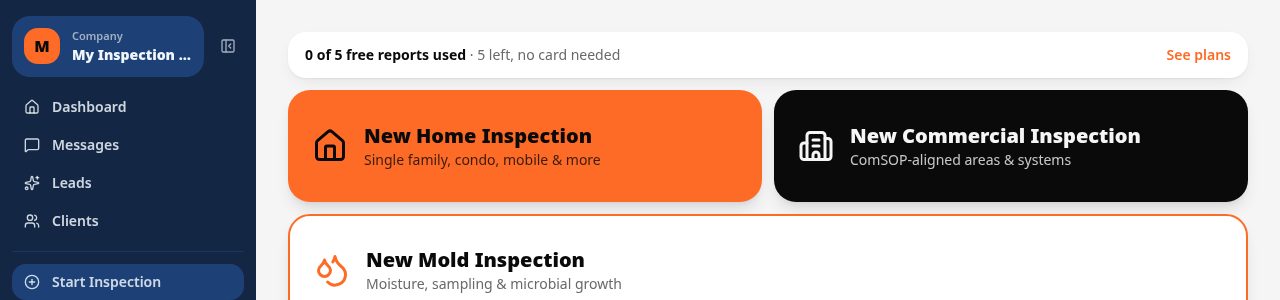
The same account that runs the combined inspection also covers booking the appointment, sending an estimate for e-signature, and invoicing once the job wraps. Clients get a 24/7 portal to view the report, both sets of lab attachments, estimates and invoices in one place. Plans start at $39 a month for one inspector (Core) or $99 a month for up to three (Pro), with 5 free reports to try before you commit to a card.
See it on screen
What it costs vs other tools
| Software | Starting price | Free start |
|---|---|---|
| Inspect Ace | $39/mo Core, $99/mo Pro (3 inspectors) | 5 free reports, no card |
| Inspector Toolbelt | $79/mo | See vendor site |
| Spectora | From $109/mo | See vendor site |
Competitor prices from their public pricing pages, checked October 2026.
lead and asbestos inspection software questions
- Can I run lead and asbestos findings in the same inspection?
- Yes. Build a custom template that covers both scopes, or upload your firm's existing PDF or CSV protocol, and work through lead and asbestos findings together.
- Does AI analyze my sample and testing photos?
- Yes. Photograph each lead testing location or asbestos sample point and the assistant suggests a description you can accept, edit or retry with a typed hint.
- Can I attach both lead and asbestos lab results?
- Yes. Attach lab PDFs for either material to the relevant finding, and Inspect Ace generates an AI summary for each one that appears in the report.
- Does Inspect Ace certify compliance with lead or asbestos regulations?
- No. Inspect Ace helps you build the template, draft findings and summarize attached lab results, but it does not provide regulatory certification or chain-of-custody documentation.
- Can clients see both reports in one portal?
- Yes. Clients access their report, lab attachments, estimates and invoices through a single 24/7 portal regardless of whether the job covered lead, asbestos or both.
- Can one template cover both lead and asbestos findings?
- Yes. You can build a custom template covering both scopes, or upload an existing PDF or CSV protocol, and run the combined inspection through that single form.
- Are lead and asbestos lab results summarized differently?
- Each lab PDF you attach, whether it's lead or asbestos results, gets its own AI-generated summary shown next to the original document in the report.
- Does Inspect Ace certify the inspection meets lead or asbestos regulations?
- No. Inspect Ace helps you build the template, draft findings and summarize your lab's attached results, but it doesn't provide regulatory compliance certification.
Related solutions
Run your next inspection on it
Your first 5 reports are free. No card, no app store, works on the phone in your pocket.