
commercial building inspection software
Commercial Building Inspection Software Grounded in ComSOP
Commercial property condition assessments involve more systems, more square footage and more stakeholders than a house. Inspect Ace structures your walkthrough around the CCPIA ComSOP standard so roofing, structure, envelope, mechanical, electrical, plumbing, fire and life safety systems are all documented in the format lenders and buyers expect.
What you get with commercial building inspection software
ComSOP-aligned templates
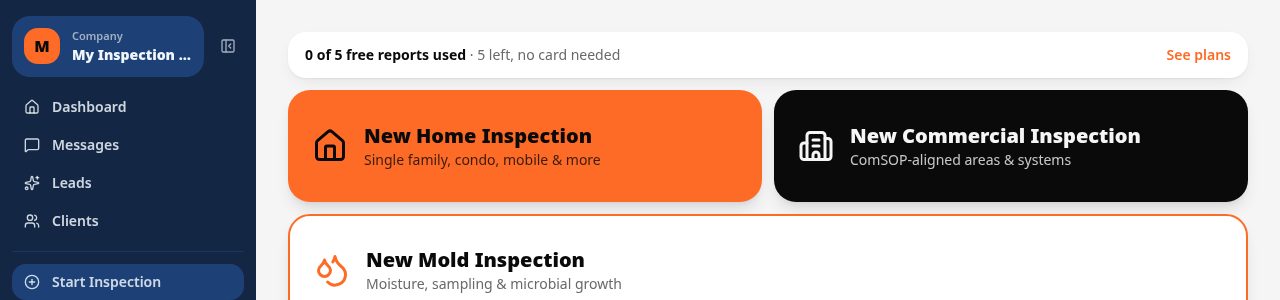
Sections and sub-sections follow the CCPIA Commercial Standards of Practice, so multi-tenant buildings, warehouses, retail strips and office parks all get a consistent, defensible report structure.
One-tap defect entry by system
Flag issues in roofing, envelope, structural, electrical, mechanical or plumbing systems with pre-loaded observations, severity and recommended action so large buildings do not turn into hours of typing.
Material tracking per section
Record roof covering, wall cladding, foundation type and paving material for each building or unit so the report reflects exactly what was inspected, not a generic checklist.
AI photo analysis on the go
Photograph a roof membrane seam, a cracked slab or a corroded panel and let AI suggest the likely defect and recommendation for the inspector to confirm before moving to the next unit.
Multi-building, multi-unit organization
Break a property condition assessment into buildings, floors and units within one project so reports on larger commercial sites stay organized instead of one long undifferentiated document.
Branded PDF and shareable web reports
Deliver a client-ready report with your firm's branding as a PDF for lenders and due diligence files, or a web link for property managers and brokers to review on any device.
How the workflow runs
- 1
Scope the property
Set up the project with building count, square footage and systems in scope, whether it is a single retail building or a multi-tenant complex.
- 2
Inspect system by system
Move through roofing, envelope, structure, mechanical, electrical and plumbing using ComSOP-based sections, tapping defect buttons and capturing photos at each finding.
- 3
Flag deferred maintenance and capital items
Tag findings by severity and estimated cost so the report distinguishes routine maintenance from capital expenditures a lender or buyer will care about.
- 4
Deliver the PCA report
Generate the branded PDF property condition report or send a web report link to the client, broker, or lending institution.
Why teams switch
- Structure every report around a recognized commercial standard
- Handle multi-building and multi-unit properties without losing organization
- Cut field time with one-tap defect entry across mechanical, electrical and plumbing systems
- Give lenders and buyers a report format they already recognize
- Send reports the same day the walkthrough wraps up
How Inspect Ace speeds up a commercial building inspection
Property condition assessments cover more systems and more square footage than a house, which is exactly where unstructured note-taking falls apart.
- Start from a ComSOP-aligned template covering roofing, structure, envelope, mechanical, electrical and plumbing
- Assign sections of a larger site to multiple inspectors working the same project at once
- Tap one-tap defect buttons by system to fill observation, severity, recommendation and cost range
- Photograph roof membranes, panels or slabs and let AI suggest the likely defect for confirmation
- Bulk upload Photo Inbox images from a multi-building walk and pick which ones need AI analysis
- Generate the branded PDF or web report with a capital/repair cost table before leaving the site
Why it costs less than other commercial inspection platforms
Inspect Ace's Pro plan is $99/mo for 3 inspectors, useful for firms splitting a multi-building site across people, with unlimited inspections and no per-report charges. A Core plan is $39/mo for firms running smaller commercial jobs on their own. Start with 5 free reports, no card required.
By comparison, Spectora starts at $109/mo and Inspector Toolbelt starts at $79/mo (verified Oct 16, 2026) — neither is built around a flat per-inspector team price like Inspect Ace's $99/mo for 3 inspectors.
Keeping multi-building sites organized
A single property condition assessment can span several buildings, floors and units. Inspect Ace lets you break one project into buildings and units so findings, photos and material notes stay grouped correctly instead of collapsing into one undifferentiated report, and every inspector's section syncs back into the same final document.
A day running commercial building inspections on Inspect Ace
A typical day might start with a lobby and roof walk on one building while a second inspector covers mechanical rooms and the parking structure in another, both logged under the same project. Each inspector works from the ComSOP-aligned sections for their assigned system, tapping one-tap defect buttons for findings like deteriorated roof membrane seams or undersized electrical panels, with AI suggesting the likely issue from each photo before it's confirmed.
By the afternoon walkthrough of mechanical and electrical rooms, the morning's roof and envelope findings are already synced into the shared project, so nothing has to be reconciled manually at the end of the day. The capital and repair cost table builds as findings come in, letting the PCA wrap with a branded PDF and web report ready to send to the lender or buyer before the team leaves the site.
See it on screen
What it costs vs other tools
| Software | Starting price | Free start |
|---|---|---|
| Inspect Ace | $39/mo Core, $99/mo Pro (3 inspectors) | 5 free reports, no card |
| Inspector Toolbelt | $79/mo | See vendor site |
| Spectora | From $109/mo | See vendor site |
Competitor prices from their public pricing pages, checked October 2026.
commercial building inspection software questions
- What standard does Inspect Ace use for commercial reports?
- Commercial reports are grounded in the CCPIA ComSOP standard, covering the systems and reporting structure that standard defines for property condition assessments.
- Can it handle a multi-tenant building with several units?
- Yes, you can organize a single project into multiple buildings and units so findings stay grouped correctly instead of blending into one undifferentiated report.
- Does it work for warehouses and industrial buildings too?
- Yes, templates cover roofing, structure, envelope and mechanical systems common to warehouses, light industrial buildings, retail centers and office properties.
- Can I track roofing and cladding materials separately for each building?
- Yes, material selection lets you record the roof covering, wall cladding, foundation type and other materials per building or unit so the report is specific to what you actually inspected.
- Is the report format acceptable for lending due diligence?
- The ComSOP-aligned structure follows a recognized commercial standard, which many lenders and buyers already expect to see in a property condition assessment.
- Can multiple inspectors work on the same commercial project?
- Yes, larger properties can be split across inspectors within the same project, with all findings syncing back into one final report.
- What software do commercial property inspectors use for multi-building sites?
- Inspect Ace organizes a single project into multiple buildings and units, with ComSOP-aligned sections for roofing, structure, envelope, mechanical, electrical and plumbing, so findings stay grouped correctly across a large site.
- Is there commercial inspection software with a team plan?
- Yes, Inspect Ace's Pro plan is $99/mo for 3 inspectors with unlimited inspections and no per-report fees, which suits firms splitting a multi-building property condition assessment across several people on the same project.
- Can commercial inspection reports include repair cost estimates?
- Yes, Inspect Ace includes a capital and repair cost table in the branded report, alongside AI-suggested defect severity, so lenders and buyers can see which findings are routine maintenance versus capital expenditures.
Also does home and mold inspections
Same account, same $39 price. No second subscription when a client asks for something different.
Related solutions
Run your next inspection on it
Your first 5 reports are free. No card, no app store, works on the phone in your pocket.