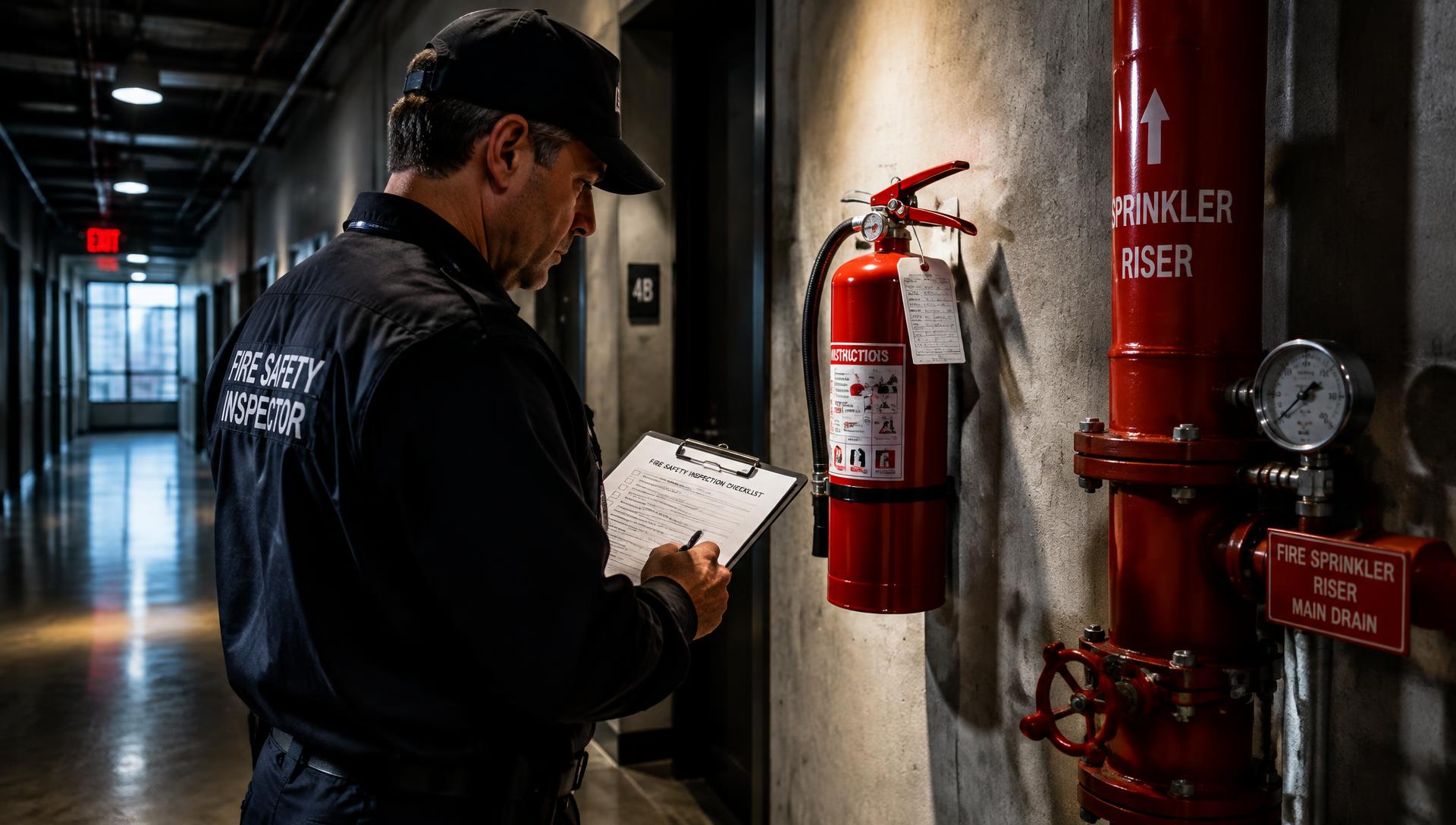
fire inspection software
Fire Inspection Software for Faster Compliance Reports
Fire inspectors juggle extinguishers, alarm systems, sprinklers, exits and occupancy loads across dozens of properties a week. Inspect Ace turns that walkthrough into a mobile checklist with one-tap violation codes, photo evidence and a branded compliance report ready before you leave the building.
What you get with fire inspection software
Life safety system templates
Pre-built sections for fire alarms, sprinkler systems, extinguishers, emergency lighting, exit signage and egress paths keep every inspection consistent from site to site.
One-tap violation entry
Tag common violations like blocked exits, expired extinguisher tags or missing exit signage with a tap, auto-filling the observation, severity and required corrective action.
Photo evidence for every violation
Capture a photo of the blocked exit, the missing pull station cover or the discharged extinguisher right at the point of finding it, tied directly to that item in the report.
AI photo analysis
Photograph a suspected violation, like an obstructed sprinkler head or a damaged fire door, and get an AI-suggested finding and recommendation to confirm before it enters the report.
Re-inspection tracking
Track corrective actions from an initial violation through to the re-inspection that confirms it was fixed, so nothing falls through the cracks before the next cycle.
Branded PDF and web compliance reports
Deliver a clear, branded report to the property owner or fire marshal's office as a PDF or a web link they can review from any device.
How the workflow runs
- 1
Load the property profile
Pull up the building's occupancy type and prior violation history before you arrive, so you know what to check first.
- 2
Walk the life safety systems
Inspect alarms, sprinklers, extinguishers, exits and egress paths, tapping violation buttons and photographing each issue as you go.
- 3
Assign corrective actions
Flag violations by severity and set a corrective action deadline so the property owner knows exactly what needs fixing and by when.
- 4
Send the compliance report and schedule re-inspection
Deliver the branded report on-site and schedule the follow-up re-inspection to confirm violations were corrected.
Why teams switch
- Turn a building walkthrough into a finished compliance report in minutes
- Keep violation language and severity consistent across every property
- Photo-document every violation for a defensible compliance record
- Track corrective actions from violation to verified re-inspection
- Give property owners a clear, branded report they can act on immediately
How Inspect Ace speeds up a fire inspection
Fire and life-safety inspections involve repetitive system checks across many units or floors, which is exactly where a templated, tap-driven workflow saves the most time.
- Use a custom template built for your fire inspection checklist, including extinguishers, alarms, sprinklers, exits and suppression systems
- Tap one-tap defect buttons to fill observation, severity and recommendation for common violations
- Photograph a damaged extinguisher tag or blocked exit and let AI suggest the finding for confirmation
- Attach lab reports or inspection certificates as PDFs, with AI summarizing attachments into the report
- Autosave keeps working through stairwells and basements where signal drops
- Deliver a branded PDF or web report to the property manager or fire marshal's office the same day
Why it costs less than other fire inspection tools
Inspect Ace is $39/mo Core with unlimited inspections, or $99/mo Pro for 3 inspectors covering a route of buildings, with no per-report fees. Try 5 free reports first with no credit card.
Spectora starts at $109/mo and Inspector Toolbelt starts at $79/mo (verified Oct 16, 2026), both aimed at home inspection rather than a flat per-inspector team rate for recurring fire inspection routes.
Standardizing findings across every unit or floor
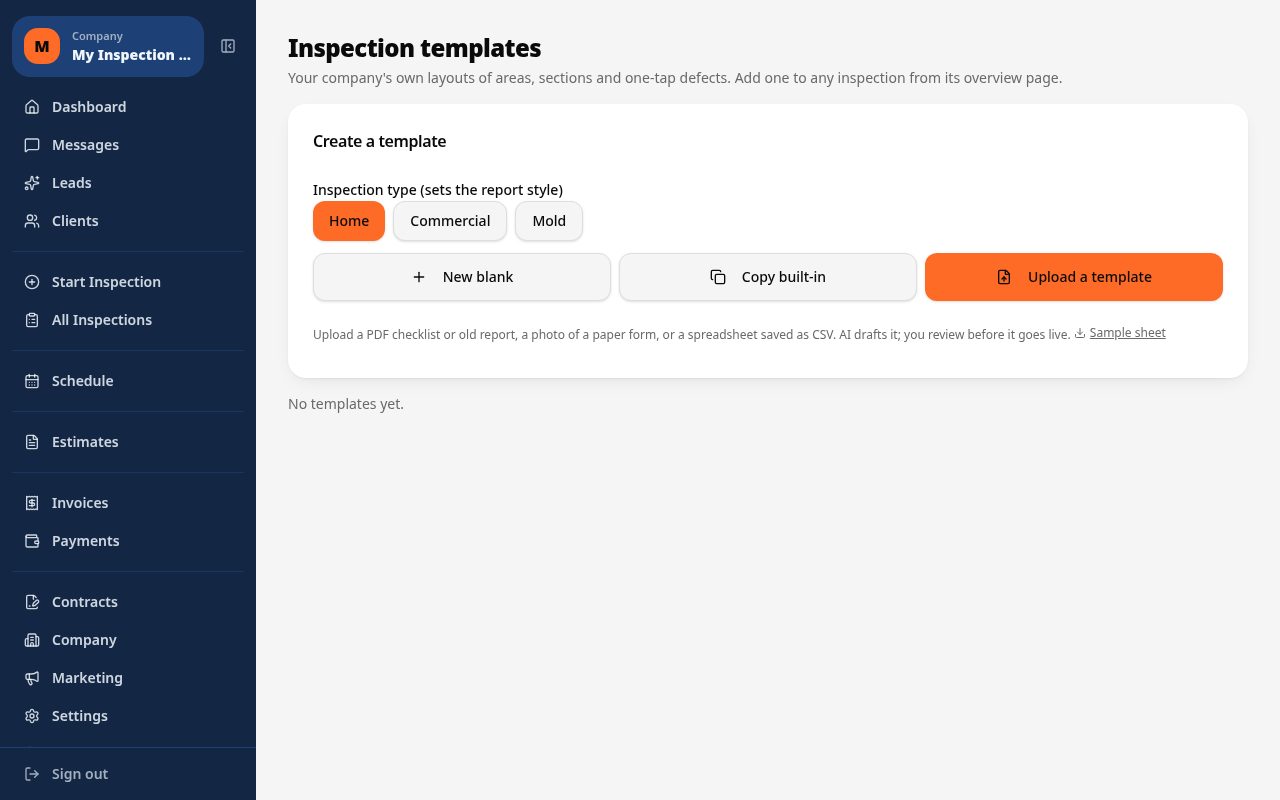
Multi-unit buildings mean inspecting the same fire systems dozens of times a visit. Inspect Ace lets you build a custom template once — by uploading a PDF or CSV of your existing checklist and letting AI draft it — then reuse one-tap defect buttons across every floor so violation language stays consistent from unit to unit instead of varying by who typed it up.
Common fire inspection findings Inspect Ace handles in one tap
Expired extinguisher tags, blocked exits, obstructed sprinkler heads and missing alarm testing records are the violations that repeat unit after unit, floor after floor. Inspect Ace's one-tap defect buttons auto-fill the observation, severity and recommendation for these common findings, so an inspector moving through a multi-unit building doesn't have to retype the same extinguisher or exit-signage violation dozens of times in one visit.
Photographing a damaged extinguisher tag or an obstructed exit lets AI suggest the likely finding for confirmation, and lab reports or certification PDFs attached along the way get summarized by AI so a sprinkler test certificate or alarm inspection record shows up in context rather than as a buried attachment. Across a full building sweep, that combination keeps violation language and severity ratings consistent from the first floor to the last.
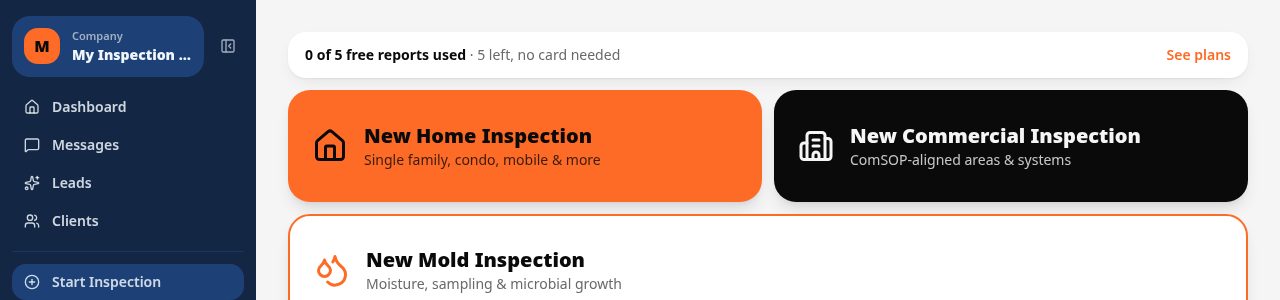
See it on screen
What it costs vs other tools
| Software | Starting price | Free start |
|---|---|---|
| Inspect Ace | $39/mo Core, $99/mo Pro (3 inspectors) | 5 free reports, no card |
| Inspector Toolbelt | $79/mo | See vendor site |
| Spectora | From $109/mo | See vendor site |
Competitor prices from their public pricing pages, checked October 2026.
fire inspection software questions
- Can I customize violation codes to match our local fire code?
- Yes, you can edit the built-in violation library or add your own codes, observations and required corrective actions to match your jurisdiction's fire code.
- Does it track re-inspections for corrected violations?
- Yes, you can log a corrective action against a violation and schedule a re-inspection to confirm it was resolved before closing out the file.
- Can I use it for routine annual inspections and complaint-driven visits?
- Yes, you can run the same mobile checklist for scheduled annual inspections, occupancy inspections and complaint or referral-based visits.
- How does photo evidence help with compliance disputes?
- Every violation can carry a timestamped photo, giving you documented evidence of the condition found, which is useful if a property owner disputes a finding.
- Does it work without internet inside large buildings or basements?
- Yes, entries and photos autosave locally on your phone even in areas with weak signal, and sync automatically once you are back online.
- Can the property owner receive the report immediately?
- Yes, you can generate a branded PDF or send a web report link directly to the property owner or manager before you leave the site.
- What is good software for recurring fire inspections across many units?
- Inspect Ace lets you build a custom fire inspection template once, then use one-tap defect buttons and photo documentation across every unit or floor, keeping violation language consistent and speeding up repeat visits.
- Can fire inspection software attach lab or certification documents?
- Yes, Inspect Ace lets you attach lab reports and certificate PDFs to an inspection, and AI summarizes those attachments so key details show up in the main report instead of being buried in a separate file.
- Is there affordable fire inspection software for a small team?
- Inspect Ace's Pro plan is $99/mo for 3 inspectors with unlimited inspections and no per-report fees, or $39/mo for a single inspector. Both plans let you try 5 free reports before subscribing.
Related solutions
Run your next inspection on it
Your first 5 reports are free. No card, no app store, works on the phone in your pocket.