
quality inspection software
Quality Inspection Software for Consistent Product Checks
Quality inspections live or die on consistency, the same defect needs to be caught and coded the same way whether it is line one on Monday or line three on Friday. Inspect Ace puts your quality checklist on a phone or tablet with one-tap defect codes and photo evidence tied to every non-conformance.
What you get with quality inspection software
Standardized inspection templates
Build templates around your product lines or process stages so every inspector checks the same points in the same order, every shift.
One-tap defect and non-conformance codes
Tag dimensional issues, surface defects, missing components or labeling errors with a tap, auto-filling the observation and severity so coding stays consistent across inspectors.
Photo evidence for every non-conformance
Attach a photo directly to each flagged defect so quality teams and suppliers can see exactly what was found, not just read a code.
AI photo analysis for visual defects
Photograph a surface scratch, a dent or a misalignment and get an AI-suggested defect classification to confirm, speeding up high-volume inspection runs.
Material and spec tracking per item
Record material lot, spec version or component type per inspected unit so defects can be traced back to a specific batch or supplier.
Branded PDF and shareable web reports
Generate a report per batch or shift as a branded PDF for your quality file, or a web link to share with a supplier or customer.
How the workflow runs
- 1
Set up the inspection template
Build or select a checklist matching your product line or process stage, with defect codes specific to what you are checking.
- 2
Inspect the batch or line
Move through units or process points, tapping defect codes and photographing any non-conformance as it is found.
- 3
Classify and trace defects
Tag each defect by severity and link it to the material lot or component source so it can be traced back if a pattern emerges.
- 4
Report and close the loop
Generate a branded PDF or web report for the batch or shift, and share it with suppliers or the quality team to drive corrective action.
Why teams switch
- Get every inspector coding defects the same way
- Attach photo evidence to every non-conformance automatically
- Trace defects back to a specific batch, lot or supplier
- Cut inspection time on high-volume lines with one-tap defect entry
- Turn inspection data into a shareable report suppliers can act on
How Inspect Ace speeds up a quality inspection
Quality inspections live or die on consistent checklists applied the same way every time, across every inspector.
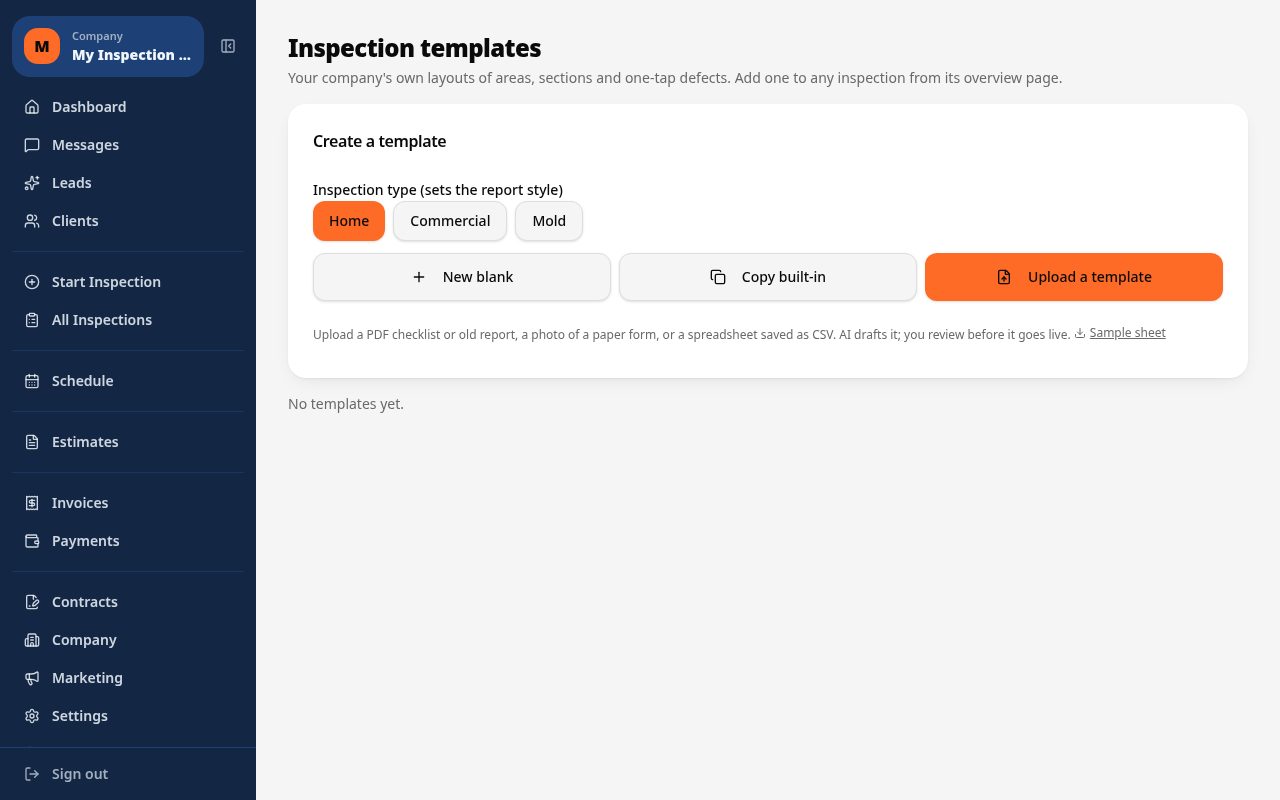
- Build a custom quality inspection template matched to your product line, or upload a PDF/CSV checklist for AI to draft
- Tap one-tap defect buttons for common nonconformances to fill observation, severity and recommendation instantly
- Photograph a defect and let AI suggest the likely issue for the inspector to confirm before it's logged
- Bulk upload a batch of inspection photos to the Photo Inbox and choose which ones to analyze
- Assign multiple inspectors to the same inspection project across shifts or lines
- Generate a branded PDF or web report summarizing pass/fail and flagged items
Why it costs less than other quality inspection tools
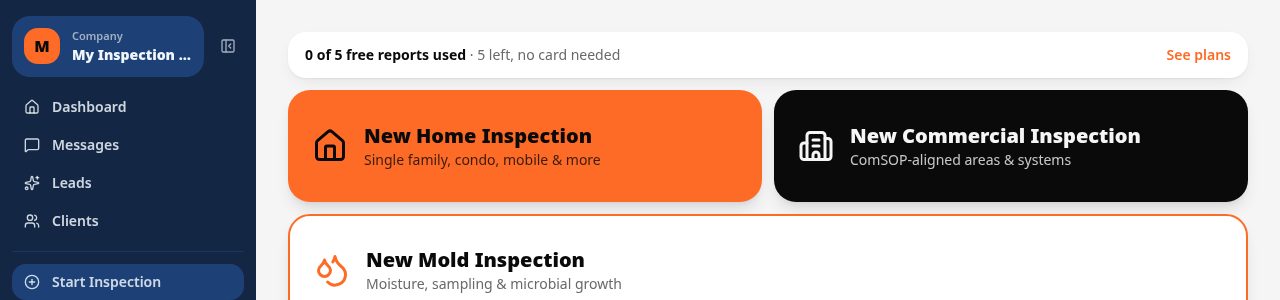
Inspect Ace's Core plan is $39/mo with unlimited inspections, and the Pro plan is $99/mo for 3 inspectors, with no per-report fees on either. Try 5 free reports with no card required before committing.
Spectora starts at $109/mo and Inspector Toolbelt starts at $79/mo (verified Oct 16, 2026), both aimed at property inspection rather than production quality checks, but useful context for comparing flat monthly pricing.
Keeping findings consistent across shifts and inspectors
When different inspectors check the same line across shifts, inconsistent terminology makes trend data unreliable. Inspect Ace's one-tap defect buttons standardize wording for common nonconformances, and the AI learns your company's past corrected language so reports converge on consistent terminology over time.
A day running quality inspections on Inspect Ace
A shift might start with an inspector walking a production line and tapping one-tap defect buttons for common nonconformances as they're spotted, with each photo sent for AI review to suggest the likely issue before it's logged. As the batch moves along, a second inspector on another line works the same custom template, both feeding into the same project so management sees one consolidated view instead of two disconnected checklists.
Midway through the shift, a batch of inspection photos gets bulk uploaded to the Photo Inbox, and only the ones flagged as uncertain are sent for AI analysis, keeping review time focused on genuine judgment calls rather than routine passes. By the end of the shift, the branded PDF or web report summarizes pass/fail results and flagged items, giving line supervisors a same-day view of quality trends instead of waiting on paperwork to catch up.
See it on screen
What it costs vs other tools
| Software | Starting price | Free start |
|---|---|---|
| Inspect Ace | $39/mo Core, $99/mo Pro (3 inspectors) | 5 free reports, no card |
| Inspector Toolbelt | $79/mo | See vendor site |
| Spectora | From $109/mo | See vendor site |
Competitor prices from their public pricing pages, checked October 2026.
quality inspection software questions
- Can I build custom defect codes for our product line?
- Yes, you can create your own defect and non-conformance codes with the observation, severity and recommendation language specific to your product.
- Does it support batch or lot traceability?
- Yes, you can record material lot, spec version or component source per inspected unit so a defect can be traced back to where it originated.
- Can I attach a photo to every flagged defect?
- Yes, photo capture is built into the defect entry flow so every non-conformance has visual evidence attached automatically.
- How does AI photo analysis help on a fast-moving line?
- It suggests a defect classification from a photo of a scratch, dent or misalignment, which you confirm quickly instead of typing a full description from scratch.
- Can I run different templates for different production lines?
- Yes, you can set up separate templates per product line or process stage, each with its own defect codes and inspection points.
- Can suppliers or customers receive the inspection report directly?
- Yes, you can send a branded PDF or a shareable web report link directly to a supplier or customer for corrective action or approval.
- What is affordable software for recurring quality inspections?
- Inspect Ace's Core plan is $39/mo with unlimited inspections and no per-report fees, or $99/mo for a Pro plan covering 3 inspectors, with 5 free reports to try before paying anything.
- Can quality inspection software use a custom checklist?
- Yes, Inspect Ace lets you build a custom template from scratch or upload a PDF or CSV of your existing quality checklist, and AI drafts it into a usable template you can adjust.
- How does AI help with quality inspection photos?
- Inspect Ace's AI suggests the likely defect from a photo for the inspector to confirm, and you can bulk upload a batch of photos to the Photo Inbox and pick only the ones that need AI review, speeding up high-volume checks.
Related solutions
Run your next inspection on it
Your first 5 reports are free. No card, no app store, works on the phone in your pocket.